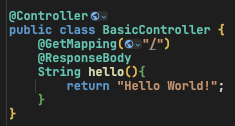
1. Controller

2. 타임리프 설치하면
- 엔진때문에 static이 아닌 template에서 찾는다.
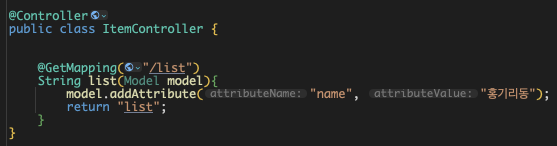
3. ThymeLeaf MVC 문법

3. JPA
- build.gradle
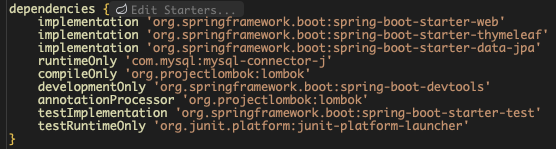
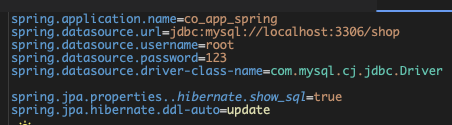
- application.properties
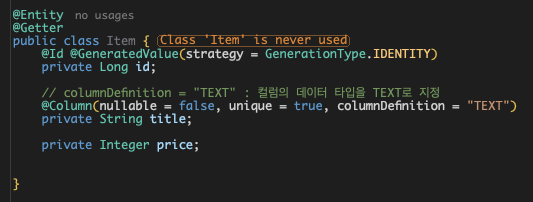
- Entity
- Repository 만들기

- repository 가져다가 사용하기

4. Thymeleaf
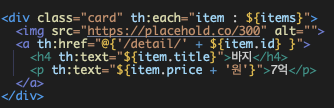
- thymeleaf 반복문 th:each
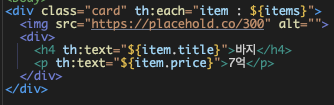
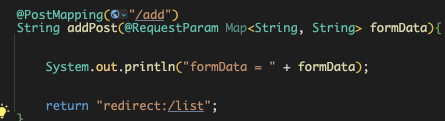
5. post

- Map 자료형
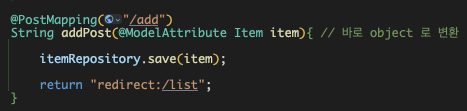
- @ModelAttribute 이런 것도 있음
- thymeleaf의 Fragment 문법(컴포넌트)
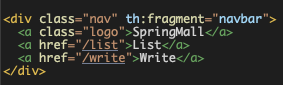
- thymeleaf Fragment 문법 가져다쓰기

6. Detail페이지
- ifPresent, Lambda를 통해 깔끔하게 작성 가능
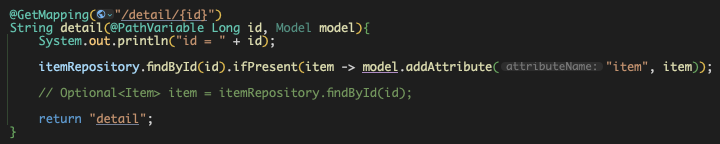
- Optional 사용해도 됨
- item.isPresent() 로 if분기해도 됨
- Thymeleaf th:href 문법
7. 예외처리(RestAPI)
- Thymeleaf 에서는 template 폴더 밑에 error.html 만 만들어놔도 에러나면 그거 보내줌
- status 등 다양한 변수 사용할 수 있으니 찾아서 쓰셈
- 근데 RestAPI에서는 처리 해줘야함
1. try-catch 문으로 하기

2. Controller 마다 @ExceptionHandler 붙이기

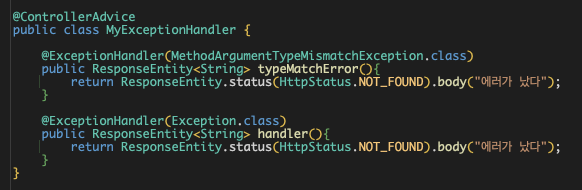
3. 모든 Controller 파일의 에러를 캐치하기 (@ControllerAdvice)
- 한 파일에만 몰아넣으면 됨
- 여기서는 MyExceptionHandler class를 만들어서 여기서 함

8. Layer (Service, Controller, DAO)
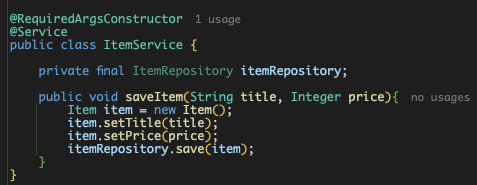
9. 수정 기능

10. ifPresentOrElse
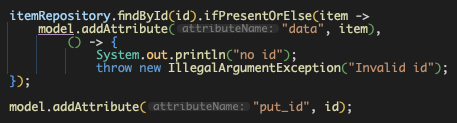
- .ifPresentOrElse(item -> 있으면 할거, () -> 없으면 할거)
- 보편적인 처리 방법은 ifPresent, map을 더 많이 씀
11. Controller의 메서드 내 파라미터
- @PathVariable : 경로 변수
- @RequestParam : URL 쿼리스트링(?a=b& or form 데이터 변수)
- @RequestBody : 바디 변수
'Backend - Java Spring > SB 입문_Apple(완)' 카테고리의 다른 글
| [Co_App] Spring Basic 복습 - Pagination ~ JPA (완) (0) | 2024.09.08 |
|---|---|
| [Co_App] Spring Basic 복습 - Auth (0) | 2024.09.01 |


댓글